
This article takes you through everything you need to know about completing a scheduled shipment in Tracmor.
To complete a scheduled shipment, click on Shipments in the side menu under Shipment tab.
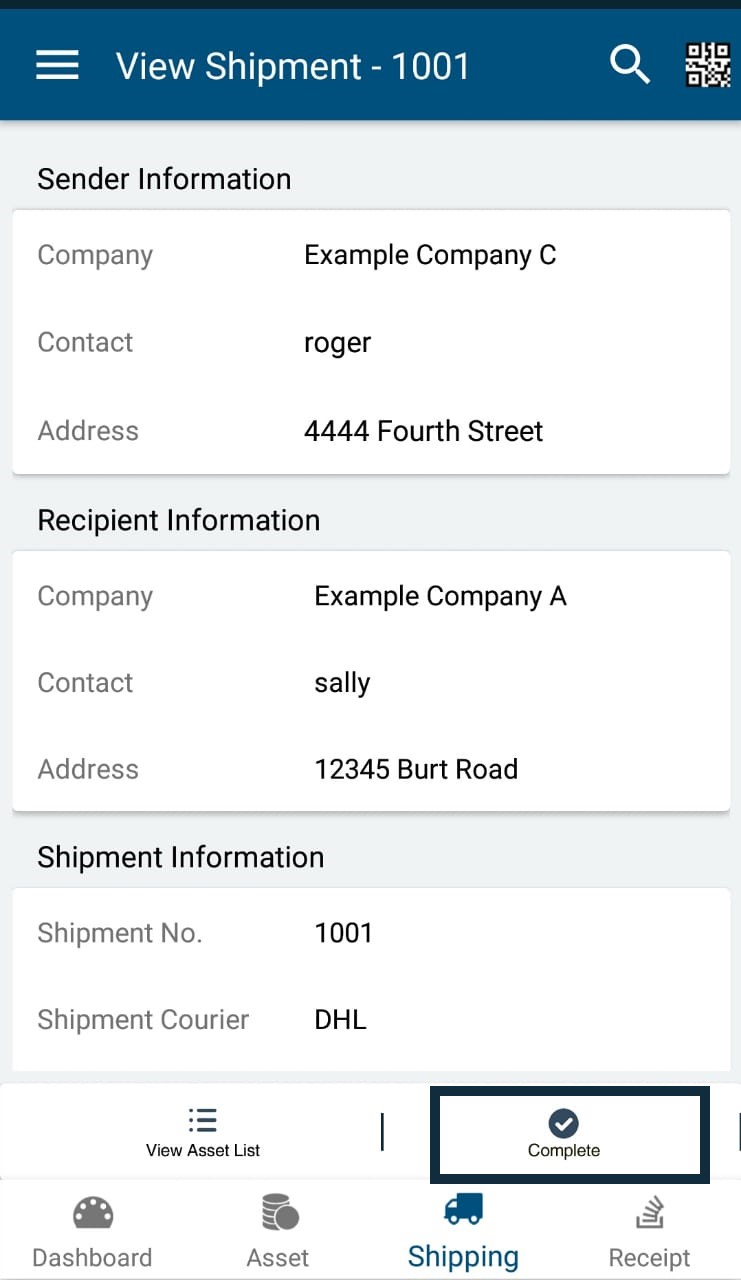
Clicking on a pending individual shipment will take you to View Shipment screen where you can view the details of that shipment you intent to complete. At the right bottom of the View Shipment screen, you can see the option, Complete.
The navigation path is Shipments -> View Shipment ->Complete.
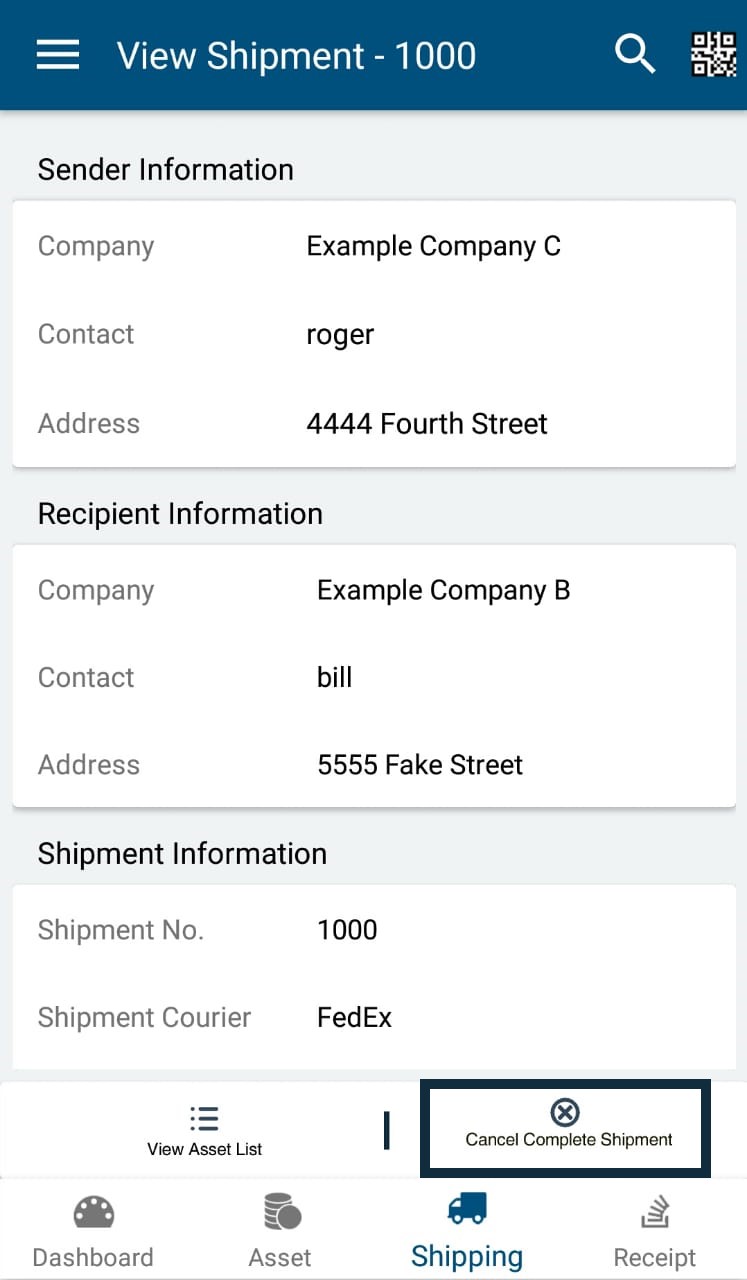
The same procedure / steps can be followed to cancel an already completed shipment. This will be useful when user complete a shipment which is not actually complete. In that case, to rollback, the option' Cancel Complete Shipment ' can be used.
The navigation path is Shipments -> View Shipment ->Cancel Complete Shipment.
0 Comments