
This article takes you through everything you need to know about receiving assets to a location in Tracmor.
To receive an asset , click on Receipts in the side menu under Receipt tab.
Clicking on a pending individual receipt will take you to View Receipt screen where you can view the details of that receipt in which you intent to receive assets from. At the right bottom of the View Shipment screen, you can see the option, View Asset List.
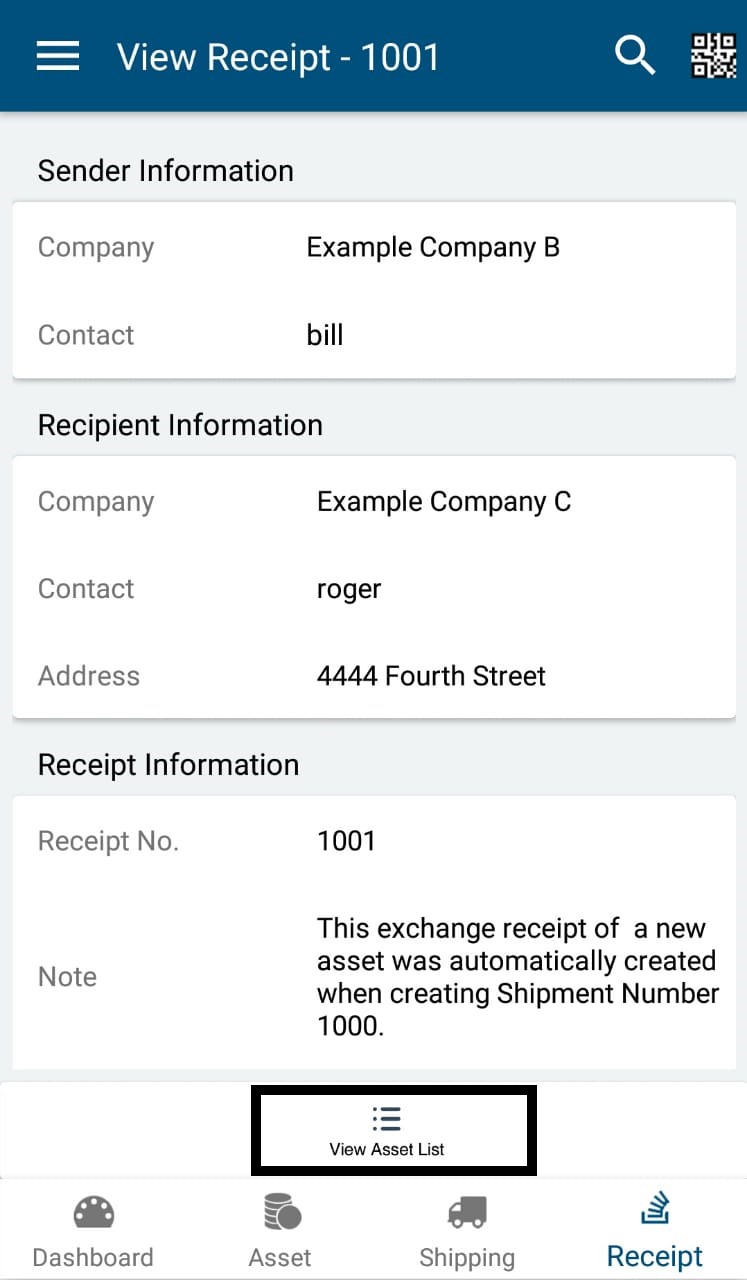
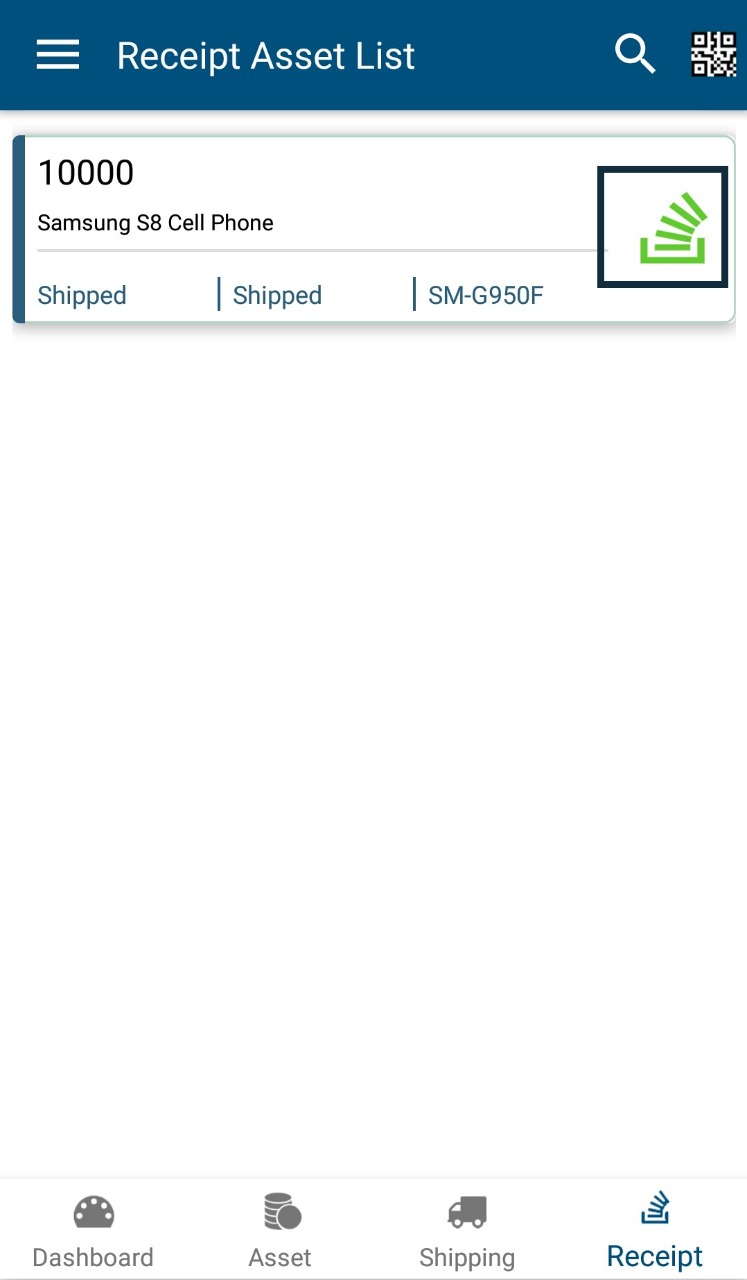
Clicking on View Asset List will take you to the Receipt Asset List screen where you can receive individual assets by clicking on the green ' Receive ' icon. 'The navigation path is Receipts -> View Receipt ->View Asset List -> Receipt Asset List -> Receive
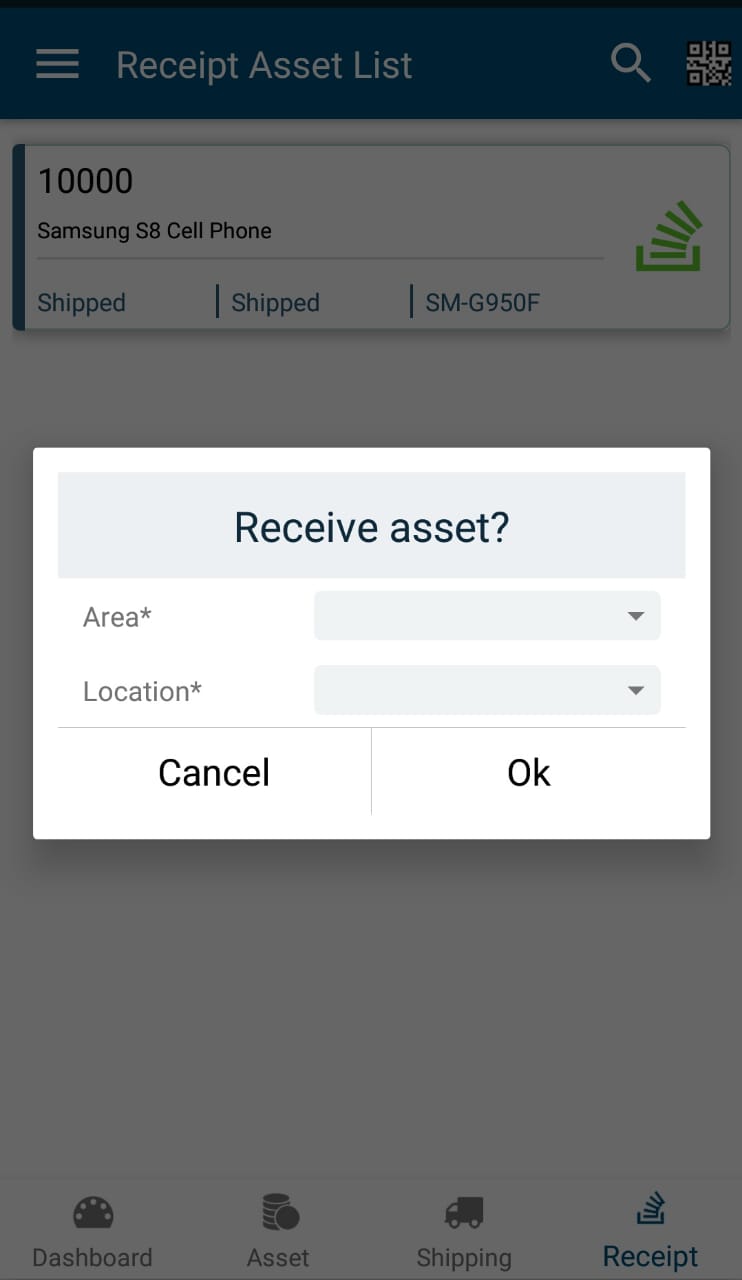
Clicking on green ' Receive ' icon, will open up a pop up box where you can select the area and location where you can receive the asset. Clicking on ' Ok ' after selecting area, location will receive the assets in that location.
After receiving assets, you will receive the message 'Asset received successfully '.
0 Comments